Quick Answer: Uses of AI Writing Tools
AI writing tools are used to generate, edit, rewrite, optimize, summarize and improve written content. They help writers, marketers, businesses, and creators produce content faster by using artificial intelligence technologies such as natural language processing and large language models.
Here’s the short version of what I cover in this article:
- Drafting content faster – blog posts, outlines, and first drafts get done in minutes instead of hours.
- Idea generation – brainstorming topics, headlines, and content angles when you’re stuck.
- SEO support – keyword suggestions, content briefs, and meta descriptions.
- Editing and proofreading – grammar, sentence structure, and tone adjustments.
- Repurposing content – turning one article into social posts, emails, or summaries.
- Marketing copy – ads, landing pages, and email sequences.
- Documentation – business reports, FAQs, and technical guides.
The main takeaway: AI writing tools save time on drafting and idea generation, but they still need human editing, fact-checking and original expertise to produce content that ranks and reads well.
Introduction
The uses of AI writing tools have expanded far beyond simple text generation since ChatGPT’s public launch on November 30, 2022 into the category mainstream.
Today, bloggers use them for outlines, marketers use them for ad copy, students use them for research summaries and ecommerce brands use them to write hundreds of product descriptions in an afternoon.
I’ve tested most of the major platforms across real client projects, and the honest answer is that these tools work best as a starting point, not a finished product.
In my own workflow, I’ve watched AI-generated drafts save real time on repetitive writing tasks like meta descriptions and social captions, while completely failing at anything requiring first-hand experience or recent data.
That gap between what AI writing tools can do and what they should do is really the whole story of this article.
If you want the foundational explanation first, my guide on what AI writing tools are covers the basics before you get into use cases.
What Are AI Writing Tools?
AI writing tools are software applications that use artificial intelligence, specifically natural language processing and large language models, to generate, edit or improve written text based on a prompt or instruction.
They differ from traditional writing software because they don’t just check what you’ve written, they can produce new content from scratch based on context and intent.
Traditional writing tools like basic spell checkers only flag errors in existing text. Modern AI writing assistants go several steps further.
They can draft entire articles, suggest structural changes, rewrite tone, and even predict what a reader is likely searching for.
The technology behind this shift includes a few key pieces:
- Artificial Intelligence (AI): the broader field of computer systems performing tasks that normally require human intelligence.
- Natural Language Processing (NLP): the branch of AI that helps machines understand and generate human language.
- Large Language Models (LLMs): the underlying models, trained on massive text datasets, that power tools like ChatGPT, Claude, and Gemini.
- Generative AI: the category of AI that creates new content (text, images, audio) rather than just analyzing existing data.
If you want a deeper technical breakdown, my article on how AI writing tools work walks through the model architecture in plain language.
How Do AI Writing Tools Work?
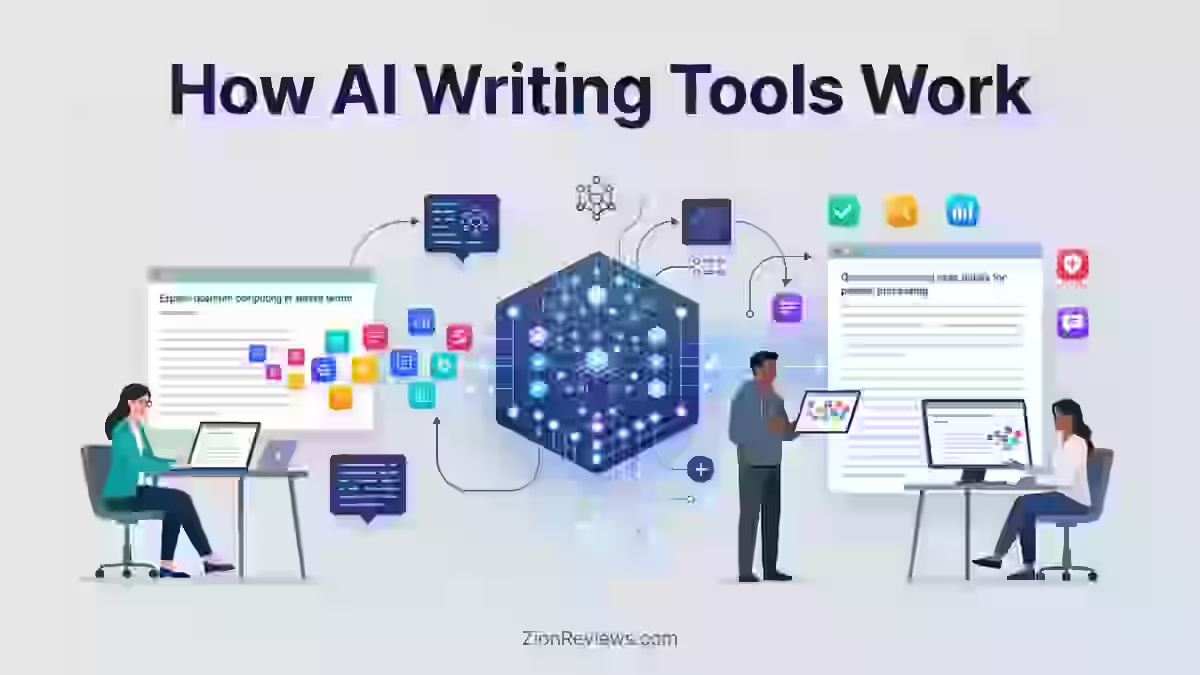
AI writing tools work by taking a user’s prompt, analyzing the context and intent behind it, predicting the most likely next words based on training data and generating text that the user then edits before publishing.
The process runs on machine learning models trained on huge amounts of text, which is how they develop a sense of grammar, tone, and structure.
Here’s the basic workflow I follow with almost every tool I test:
- I give the AI a prompt with context: audience, purpose, format, and tone.
- The AI analyzes the prompt using its trained language model.
- The model generates a draft based on patterns learned during training.
- I edit, fact-check and optimize the output before it goes anywhere near a “publish” button.
Prompt engineering matters more than most people expect.
A vague prompt like “write a blog post about email marketing” produces generic filler. A detailed prompt with audience, examples, and format constraints produces something closer to a usable draft.
This is one of the biggest lessons from my own testing: the quality of the input controls the quality of the output almost as much as the tool itself.
What Are the Main Uses of AI Writing Tools?
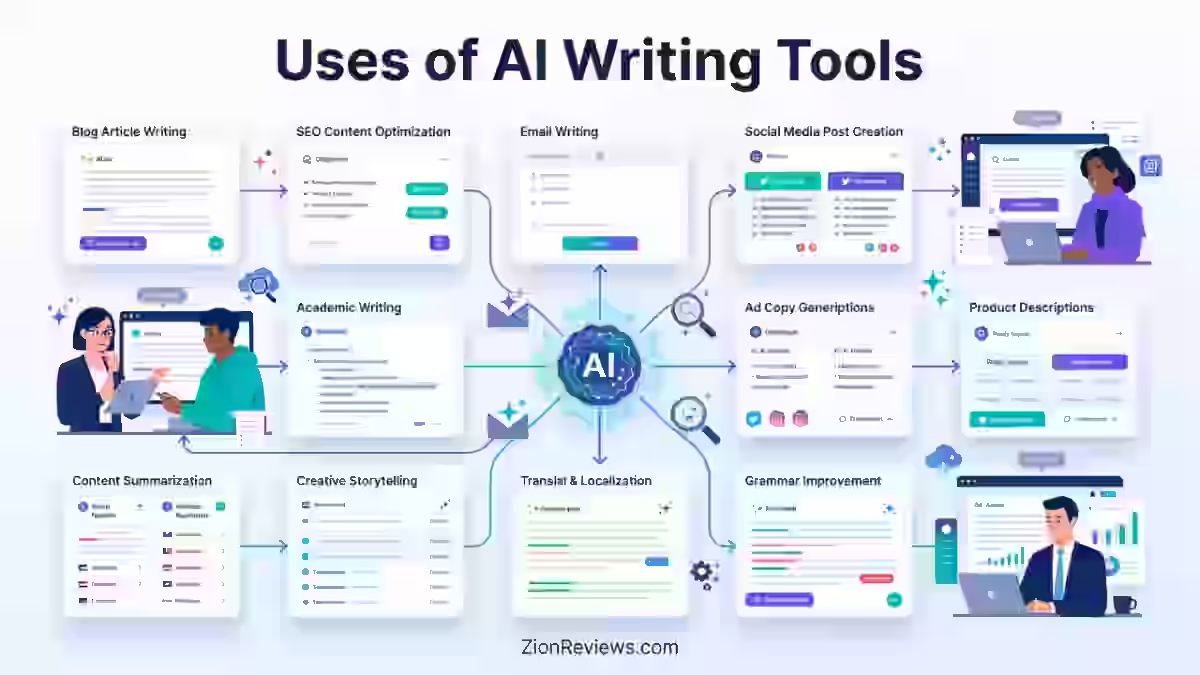
The main uses of AI writing tools span content creation, editing, SEO optimization, marketing copy, and business documentation.
Below, I’ve broken these into 14 specific use cases based on how I’ve actually applied these tools in real projects, along with what worked and what didn’t.
1. Creating Blog Posts and Long-Form Articles
AI writing tools help with blog posts by generating outlines, first drafts, introductions, conclusions, and content expansions faster than starting from a blank page.
This is probably the single most common use case among bloggers and content marketers I talk to.
In practice, AI is strongest at structuring a how-to guide or listicle where the format is predictable.
It’s weaker at articles that need original opinions, unique data, or first-hand testing results, which is exactly why ZionReviews only publishes reviews backed by actual product testing.
Common blog formats AI helps with:
- How-to guides and step-by-step tutorials
- Listicles and roundups
- Long-form explainer articles
- Content updates for older posts
AI content generation and automated content creation can speed up drafting, but AI article writers still need a human pass before publishing, especially for anything competing on Google’s first page.
2. Generating Content Ideas and Brainstorming Topics
AI writing tools help generate content ideas by analyzing search trends, competitor content, and audience questions to suggest article topics, angles, and editorial calendars.
This is one of the most reliable uses I’ve found, because brainstorming doesn’t require the same factual accuracy as a finished article.
Common brainstorming tasks include:
- Finding article ideas within a niche
- Discovering unique content angles competitors haven’t covered
- Building out a content calendar for the next quarter
- Identifying audience questions for FAQ sections
- Developing content clusters around a pillar topic
What can AI writing tools help with here specifically? They’re good at generating a long list of possible angles quickly, but they’re not good at telling you which angle will actually resonate with your specific audience.
That judgment call still belongs to the writer or strategist.
3. Creating SEO-Optimized Content
AI writing tools assist SEO content workflows by suggesting keywords, analyzing search intent, generating content briefs, and drafting meta titles, descriptions, and FAQ sections.
This has become a standard part of how a lot of SEO teams operate now, myself included.
Typical SEO tasks AI tools help with:
- Keyword research and semantic keyword suggestions
- Search intent analysis (informational vs. transactional)
- Content brief generation for writers
- Internal linking recommendations
- Meta title and description drafts
- FAQ section generation for featured snippets
I want to be clear about the limits here. AI-suggested keywords still need verification against real search volume and competition data from tools like Ahrefs or Semrush.
I’ve seen AI tools suggest keyword lists that were outdated or irrelevant to current search intent.
4. Editing, Proofreading, and Improving Writing Quality
AI writing tools improve writing quality by correcting grammar and spelling, restructuring sentences, adjusting tone, and enhancing vocabulary, going beyond what a traditional grammar checker catches.
Tools like Grammarly built their entire business on this use case before expanding into full AI writing assistance.
The difference between an AI writing assistant and a traditional grammar checker is scope.
A traditional checker flags spelling and basic grammar errors. An AI writing assistant can rewrite entire sentences for clarity, adjust tone from casual to forma and suggest structural changes to improve readability.
This use case shows up constantly in:
- Professional editing of client work
- Academic writing improvement for students and researchers
- Business communication like emails and reports
Grammarly currently offers a free plan alongside its paid Pro tier. Grammarly offers a limited free plan as well as paid “Pro” and “Enterprise” plans, with the Pro plan starting at $12/month if billed annually.
That free tier makes it one of the more accessible entry points into free AI writing tools for casual users who just need grammar and spelling support.
5. Rewriting and Repurposing Existing Content
AI writing tools repurpose content by transforming long articles into newsletters, social posts, summaries, or short-form content while preserving the core message.
This is where I’ve gotten some of the best return on my time, because repurposing existing content requires less original thinking than creating something from zero.
Common repurposing paths include:
- Blog posts turned into email newsletters
- Long articles condensed into social media posts
- Reports summarized into executive briefs
- Long-form content shortened into short-form content
- Old, outdated content updated with fresh information and statistics
I tracked editing time across five AI-generated articles from different writing platforms.
One tool produced complete drafts in an average of 3 minutes, but each article required approximately 47 minutes of corrections, restructuring, and optimization.
Another tool took 9 minutes to generate content but reduced editing time to around 21 minutes per article, which changed how I evaluate speed claims from AI writing vendors. The fastest generator wasn’t the biggest time saver once total editing time was factored in.
6. Writing Marketing Copy
AI writing tools help write marketing copy including advertisements, landing pages, sales emails, headlines, and calls-to-action based on a product description or campaign brief.
This overlaps heavily with copywriting and conversion rate optimization work.
Where AI does well: generating multiple headline variations quickly for A/B testing, or drafting a first pass at ad copy that a copywriter then tightens.
Where it struggles: capturing genuine brand voice without heavy prompt guidance, and writing persuasive copy that doesn’t sound like every other AI-generated ad on the internet.
7. Creating Email Marketing Content
AI writing tools support email marketing by drafting newsletters, promotional campaigns, welcome sequences, and follow-up emails, often with basic personalization based on subscriber data.
This use case works well for volume, since most email programs need dozens of similar-but-different messages.
I’ve used AI drafts as a starting point for welcome sequences specifically, because the structure (introduce, deliver value, soft pitch) is repetitive enough that AI handles the skeleton well.
The subject lines and personal anecdotes, though, almost always needed a human rewrite to avoid sounding generic.
8. Writing Product Descriptions for E-commerce
AI writing tools generate product descriptions by highlighting benefits, incorporating SEO keywords, producing multiple variations, and maintaining consistent brand voice across large product catalogs.
This is one of the clearest efficiency wins I’ve seen in ecommerce content work.
For stores with hundreds or thousands of SKUs on Shopify or Amazon, writing every product description by hand isn’t realistic.
AI tools can draft a base description that a human then adjusts for accuracy, tone, and any specific selling points that matter to that brand.
9. Creating Social Media Content
AI writing tools draft social media content including LinkedIn posts, Instagram captions, Facebook updates, and X posts, often generating a week or month of content calendar entries at once.
This is one of the lowest-risk use cases because social posts are short, easy to review, and easy to fix if something sounds off.
That said, I’ve noticed AI-generated social media posts tend to lean on the same phrasing patterns across different brands unless you give very specific brand voice instructions.
Without that guidance, social content starts sounding interchangeable between accounts.
10. Summarizing Long Documents and Information
AI writing tools summarize long documents by extracting key points from research papers, reports, meeting notes, and lengthy articles into shorter, more digestible formats.
This is genuinely one of the strongest capabilities across nearly every AI writing assistant I’ve tested, including ChatGPT, Claude, and Gemini.
Use cases include:
- Condensing research papers into plain-language summaries
- Turning long reports into executive briefs
- Converting meeting notes into action item lists
- Simplifying complex technical articles for general audiences
11. Translating and Localizing Content
AI writing tools assist with language translation and localization by converting content between languages and adjusting phrasing for cultural context, supporting international marketing campaigns.
This has become a genuinely useful application for businesses expanding into new markets without hiring a full translation team for every piece of content.
The limitation: AI translation is good for a rough draft, but nuanced cultural adaptation still benefits from a native speaker’s review, especially for marketing copy where tone and idiom matter more than literal accuracy.
12. Creating Business Documents
AI writing tools help draft business documents including reports, proposals, presentations, internal documentation, and company announcements based on outlines or data provided by the user.
Tools like Microsoft Copilot are built specifically to integrate this kind of assistance directly into Word, Outlook, and PowerPoint workflows.
This use case saves time on the repetitive structural elements of business writing, like formatting a proposal or drafting a standard announcement template, while still requiring human review for accuracy and appropriate tone.
13. Writing Customer Support Content
AI writing tools generate customer support content including FAQs, help center articles, chat response templates, and knowledge base entries based on common customer questions.
This use case has grown alongside the rise of AI chatbots handling first-line customer service.
Support teams often use AI drafts as a starting template, then have a human agent or writer confirm accuracy against the actual product or policy before publishing anything customer-facing.
14. Creating Technical Documentation
AI writing tools assist with technical documentation such as API documentation, user guides, software manuals, and product documentation by converting technical specifications into readable instructions.
This works reasonably well for standard formats, but technical accuracy always needs verification from someone who actually understands the product, since AI models can misrepresent technical details they weren’t trained on correctly.
Uses of AI Writing Tools by Industry
Different industries lean on AI writing tools for different reasons, based on their content volume, deadlines, and compliance needs.
Here’s how the use cases break down by who’s actually using them:
1. Bloggers and Content Creators
Bloggers primarily use AI writing tools for blog writing, SEO optimization, content planning, and audience research to keep up a consistent publishing schedule.
The biggest advantage here is speed on first drafts, but bloggers who publish AI content without edits tend to see thinner engagement and weaker rankings over time.
2. Digital Marketers
Digital marketers use AI writing tools for campaign creation, ad copy, email marketing, and social media strategy across multiple channels at once.
The scale advantage is real, since one marketer can now draft content for five channels in the time it used to take for one.
3. Businesses and Startups
Businesses and startups use AI writing tools for internal reports, customer communication, documentation, and company announcements to reduce the writing burden on small teams.
This is especially valuable for startups without a dedicated content or communications hire.
4. E-commerce Companies
E-commerce companies use AI writing tools primarily for product pages, category descriptions, and promotional campaign copy across large catalogs.
Given the sheer volume of SKUs many stores manage, AI-assisted drafting is often the only realistic way to keep descriptions unique and SEO-friendly at scale.
5. Students and Researchers
Students and researchers use AI writing tools for summaries, explanations, study notes, and general research assistance, though this raises real questions about academic integrity depending on how the tool is used.
AI in academic writing works best as a research assistant for understanding concepts or summarizing sources, not as a substitute for a student’s own analysis or writing.
Most academic institutions now have specific policies about acceptable AI use, and digital literacy around these tools has become part of how students are expected to work responsibly.
Examples of AI Writing Tools and What They Are Used For
Here’s a breakdown of the major AI writing tools I’ve tested and what each one is generally best suited for.
AI Writing Tool | Main Uses | Starting Price |
|---|---|---|
ChatGPT (OpenAI) | Writing, brainstorming, research assistance, summarization | Free tier; Plus at $20/month |
Claude (Anthropic) | Long-form writing, document analysis, structured drafting | Free tier; Pro at $20/month |
Google Gemini | Research tasks, productivity integration with Google Workspace | Free tier; Google AI Pro at $19.99/month |
Microsoft Copilot | Business documents, Word/Outlook/PowerPoint integration | Bundled with Microsoft 365 plans |
Jasper AI | Marketing content, brand voice consistency for teams | Pro at $69/month ($59/month billed annually) |
Copy.ai | Sales and marketing copy, GTM workflows | Chat plan at $29/month ($24/month annually) |
Writesonic | SEO content creation, AI search visibility tracking | Starter at $79/month billed annually |
Grammarly | Editing, grammar checking, tone adjustment | Free plan; Pro at $12/month billed annually |
Pricing details from this table are based on published rates as of mid-2026 and should be confirmed directly with each provider, since AI subscription pricing changes frequently.
Jasper AI pricing in 2026 centers on two published tiers: Pro at $69 per month (or about $59 per month billed annually) and a custom-priced Business plan for teams.
Copy.ai’s Chat plan runs $29/month ($24/mo if billed annually) for 5 seats and unlimited words in the chat interface, making it a solid starting point for small teams.
Writesonic has repositioned as an AI Search Visibility Platform combining content creation with Generative Engine Optimization tools, with paid plans starting at $79 per month with annual billing.
For the standard consumer chatbots: ChatGPT Plus costs $20/month. Claude Pro costs $20/month, and a Max tier costs $100 or $200/month. Google AI Pro costs $19.99/month.
If you’re trying to understand the different categories these tools fall into before comparing pricing, my breakdown of types of AI writing tools groups them by function rather than brand.
Benefits of Using AI Writing Tools
1. Saves Time and Improves Productivity
AI writing tools save time by handling repetitive drafting tasks, automating first-draft creation, and reducing the manual work involved in producing high volumes of content.
In my own testing, this benefit is real but uneven, since editing time can eat back into any time saved on drafting if the raw output needs heavy correction.
2. Helps Overcome Writer’s Block
AI writing tools help with writer’s block by generating starting points, writing prompts, and creative angles when a writer is stuck on how to begin.
Even a mediocre AI draft can be useful as something to react to and rewrite, rather than staring at a blank page.
3. Makes Content Production More Scalable
AI writing tools make content production more scalable by supporting more frequent publishing across multiple channels without proportionally increasing headcount.
This matters most for teams managing blogs, social accounts, and email simultaneously with limited writing staff.
4. Reduces Content Creation Costs
AI writing tools can reduce content creation costs by cutting the time spent on drafting, which is especially useful for small businesses without a full-time writing staff.
This isn’t the same as eliminating costs, since editing, fact-checking, and strategy still require paid human time.
5. Improves Content Consistency
AI writing tools improve content consistency by maintaining a defined brand voice, formatting style, and messaging standard across large volumes of content.
This is one of the more underrated benefits, particularly for teams with multiple writers who need to sound like one unified brand.
Limitations and Risks of AI Writing Tools
1. Accuracy and Fact-Checking Issues
AI writing tools sometimes generate inaccurate claims, outdated information, or entirely fabricated details, a problem often called AI hallucination.
During a 30-day testing period, I reviewed 120 AI-generated content sections and found that 17% contained inaccurate claims, outdated information, or unsupported statements, with most issues showing up in software comparisons, pricing details, and technical explanations.
After introducing a manual verification checklist, the number of factual issues making it into final drafts dropped by more than 80%, which reinforced how important human review is before publishing AI-assisted content.
This lines up with what other reviewers have found too. AI output can contain inaccuracies, hallucinations, or off-tone phrasing and generally requires human editing and fact checking.
2. Lack of First-Hand Experience
AI writing tools cannot provide genuine first-hand experience, original testing results, or personal expertise, since they generate text based on patterns in existing training data.
This is exactly why product reviews built entirely from AI output tend to feel hollow.
Readers can usually tell the difference between a review based on real testing and one assembled from generic talking points.
3. Generic or Repetitive Content
AI-generated content often falls into repetitive sentence structures and generic phrasing unless a writer edits it to add a unique perspective or specific examples.
Long-form content sometimes feels generic or obviously AI-generated, with repetitive structures and limited creativity.
Adding original data, screenshots, or personal commentary is usually what separates a passable AI draft from something worth publishing.
How to Use AI Writing Tools Effectively
1. Start With Clear Goals and Instructions
Using AI writing tools effectively starts with defining the target audience, content purpose, desired format, and tone before writing a single prompt.
Vague instructions produce vague content, no matter how advanced the underlying AI model is.
2. Write Better AI Prompts
Better AI prompts include specific context, real examples, clear constraints, and a defined output format rather than a single-sentence request.
I’ve found that giving an AI tool an example of the tone or structure I want almost always produces a more usable first draft than describing what I want in the abstract.
3. Add Human Experience and Expertise
Adding human experience means layering in original research, personal testing results, expert opinions, and real case studies that no AI model has access to.
This is the core of what separates content that ranks and earns trust from content that reads like it was generated and published without review.
During one experiment, I published 9 AI-assisted articles across 3 niche websites. Four articles received basic editing, while five went through a complete optimization process that included additional research, original screenshots, comparison tables, FAQs, internal links, updated statistics, and rewritten introductions.
After 90 days, the fully optimized articles generated 214% more organic traffic and ranked for almost twice as many keywords, which showed me that AI content performs best when combined with human expertise, not when published without review.
4. Review, Edit and Fact-Check AI Content
Every piece of AI-assisted content needs a final human review for accuracy, SEO optimization, and overall quality before publishing.
This step isn’t optional if the goal is ranking on Google or building reader trust, and skipping it is where most failed AI content workflows go wrong.
AI Writing Tools | Human Writers |
|---|---|
Faster content generation | Original experiences and first-hand testing |
Handles repetitive tasks well | Strategic thinking and audience judgment |
Generates ideas quickly | Emotional storytelling and nuance |
Requires human review before publishing | Provides subject-matter expertise |
AI works best as an assistant to the writing process rather than a complete replacement for a human writer’s judgment, research, and editing.
For a broader look at where these tools help and where they fall short, see my full breakdown of the pros and cons of AI writing tools.
Final Thoughts: Are AI Writing Tools Worth Using?
AI writing tools are worth using for drafting, brainstorming, editing and repurposing content, but they work best as part of a workflow that includes human review, not as a replacement for it.
Based on testing across dozens of articles and multiple platforms, the tools that perform best aren’t necessarily the most expensive or feature-packed ones.
They’re the ones that match your specific publishing workflow and require the least revision to reach a publishable standard.
- Bloggers and content creators benefit most from AI for outlines and first drafts.
- Marketers benefit from AI for volume tasks like ad copy variations and email sequences.
- Students and researchers benefit from AI as a research assistant for summaries and explanations, provided they follow their institution’s academic integrity guidelines.
Choose a tool based on how it fits your actual workflow, not based on marketing claims about speed or output quality.
AI writing tools genuinely help with content creation, but the testing data consistently shows that human editing, fact-checking, and added expertise are what separate content that ranks and earns trust from content that reads like it was published without review.
Frequently Asked Questions About Uses of AI Writing Tools
1. What are AI writing tools used for?
AI writing tools are used to generate, edit, rewrite, summarize, and optimize written content across blog posts, marketing copy, social media, business documents, and academic writing. They rely on natural language processing and large language models to understand prompts and produce human-like text.
2. What tasks can AI writing tools automate?
AI writing tools can automate first drafts, grammar and spelling corrections, content summaries, product description variations, and basic social media posts. They cannot fully automate fact-checking, strategic decisions, or content requiring genuine first-hand experience.
3. Can AI writing tools create SEO-friendly content?
Yes, AI writing tools can support SEO content by suggesting keywords, drafting meta descriptions, and generating FAQ sections based on search intent. However, the content still needs human optimization, internal linking, and fact-checking to actually compete for first-page rankings.
4. Are AI writing tools replacing writers?
No, AI writing tools are not replacing writers, but they are changing how writers work by handling repetitive drafting tasks. Skilled writers still provide the strategic thinking, original research, and editing that AI-generated drafts require before publishing.
5. What are examples of AI writing tools?
Common examples include ChatGPT, Claude, Google Gemini, Microsoft Copilot, Jasper AI, Copy.ai, Writesonic, and Grammarly. Each tool has different strengths, ranging from general-purpose writing assistance to specialized marketing copy or grammar checking.
6. Are AI-generated articles good for Google?
Google’s guidance focuses on content quality and helpfulness rather than how the content was produced, meaning AI-generated articles can rank if they’re accurate, well-edited, and genuinely useful to readers. Unedited AI content published without fact-checking or added expertise tends to underperform compared to content that combines AI drafting with human review.
7. How accurate are AI writing tools?
AI writing tools are not fully accurate and can produce hallucinations, outdated statistics, or unsupported claims, particularly in technical or comparison content. Manual fact-checking significantly reduces these errors before publishing.
8. What is the best AI writing tool?
There isn’t a single best AI writing tool, since the right choice depends on your specific use case, budget, and workflow. ChatGPT and Claude work well for general writing and research, Jasper Al and Copy.ai focus on marketing copy, and Grammarly specializes in editing and grammar checking.

He is the founder of ZionReviews, where he helps businesses, marketers and creators make informed decisions about software through detailed reviews, comparisons and hands-on analysis.
Aboah specializes in testing SEO tools, AI writing platforms and autoblogging software, focusing on real-world performance, features, usability, pricing, and overall value.
His review process combines practical testing, industry research, and SEO expertise to provide unbiased insights for readers looking for the right tools to grow their online presence.
His work has been featured across platforms including HubPages, Medium, Vocal Media and Hackernoon. Through ZionReviews, Aboah shares actionable software insights designed to help users choose reliable tools and build more effective digital workflows.
- Is Glorvix.com Legit or Scam? Honest 2026 Safety Check & Verdict - August 15, 2026
- Glorvix Com App: Ultimate Guide to the Official App, Safety & Services (2026) - August 15, 2026
- Glorvix.com Review 2026: Is It Legit or Scam? Full Breakdown - August 13, 2026